
I Put This $50 Mini Wellness Device on My Bookshelf, and Now I’m Way More Present

I spend too much time on my phone. Sometimes it’s for legit reasons, like work, but other times I’m mindlessly scrolling social media way more than I’d like to. I’d be lying if I said that I loved my current relationship with my phone, which is why I’m always interested in trying new ways to cut back on my screen time without getting rid of my social media altogether.
Last year, for example, I tried the Brick, a physical device that blocks any apps you need based on a schedule format or by tapping the Brick to your phone. I’ve since cut way back on my mindless scrolling, but I found that the Brick is more effective when I am outside of the house rather than inside of it. After all, if I want to use my phone when I’m at home I can just tap the Brick and get back on social media.
Finding a more friction-filled way to cut down on screen time at home has been a significant challenge as the months have drawn on. That’s why I was excited to test the Halo, the newest screen time blocker from ScreenZen, which works by blocking apps based on your physical location.
What Is the Halo by ScreenZen?
The Halo is a new physical device that pairs with the ScreenZen app to block out distracting apps on a schedule. Because it has a magnetized back, you can put the Halo, which is only a few inches across, anywhere in your home: on your fridge, on your desk, on your bedside table, etc.
The Halo works by creating a location-based app-blocking fortress. You can set your Halo up to block whatever apps you want in your home office only, for example, if you struggle with focus during the workday. Or you could block your email in your bedroom if you are guilty of checking your work email late at night or first thing in the morning.
The Halo app runs on a schedule — so you could block all apps from 10 p.m. to 8 a.m. — or you could create a schedule of focus hours (like I did) to block apps from 7:30 a.m. to 12 p.m., then 1 p.m. to 5 p.m, then 9 p.m. to 7 a.m, for example.

How the Halo App Works
I chose to have the Halo block my social media apps (which are my most distracting apps) throughout my entire apartment, which is over 900 square feet. I figured my social media problem is the same no matter where I am in my house, and I’d rather block it outright than have it be accessible in my bathroom or kitchen.
When you leave the “Halo” fortress, you have immediate access to your apps again. So this morning when I left for work, my apps were accessible again when I got about halfway down the block. As soon as I get home from work today, my apps will be immediately blocked again until the timer runs out.
Of course, if you need to, you can quickly disable your app blocking by opening up the ScreenZen app and choosing how long you need to disable blocking — two minutes, five minutes, 10 minutes, 30 minutes, an hour, 12 hours, etc. — based on your needs. However, disabling your app blocking will “reset” your blocking “streak,” if gamifying your screen time progress is something that matters to you or is a motivator to you.
Also, of course, you can block apps just using the ScreenZen app if you’re away from home and out of the “Halo.”
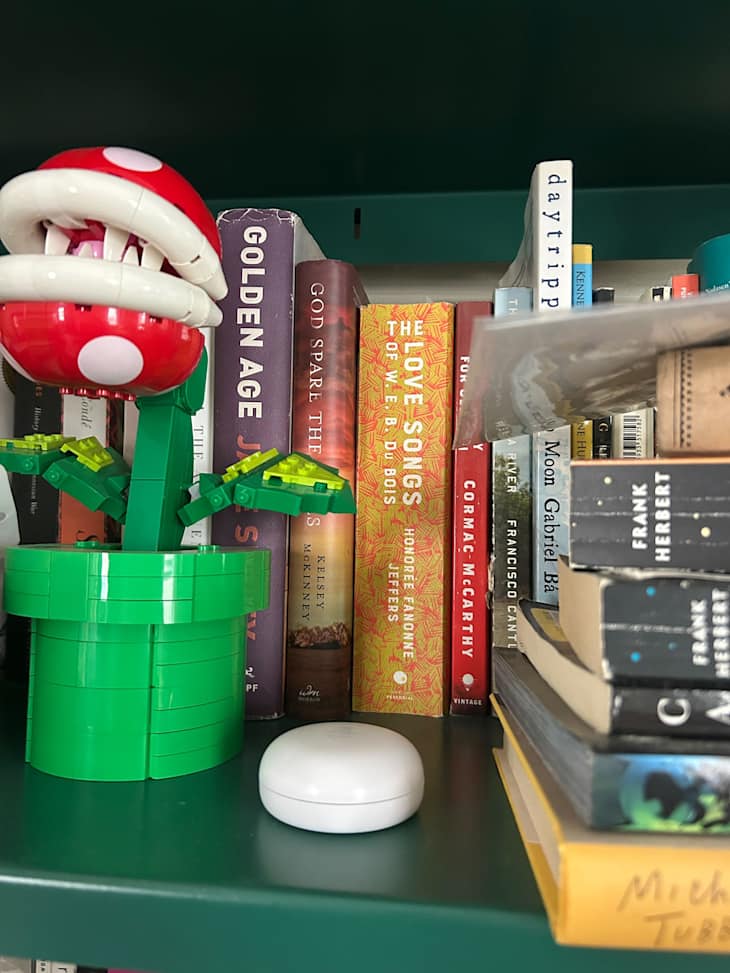
Why I Like the Halo by ScreenZen
The Halo was incredibly easy to set up. It only took a few minutes of putting the physical device in my living room to create the perimeter of coverage I wanted, and to set a schedule for when I wanted social media blocked from my phone.
The Halo both alleviates friction and creates friction at the same time. It alleviates friction by instantly blocking the apps I want to avoid when I set foot in my home; I don’t have to make the decision to block social media. But there’s friction in the sense that if I want to bypass my schedule, I have to go into the app to turn off the screen time blockers.
I imagine that as the novelty of the app wears off, it’ll feel a lot less monumental for me to bypass the blockers and I’ll probably do it more often. But at the end of the day, every single screen time blocker app does require a little bit of discipline and buy-in from the end-user — there’s no way around that.
I like that I don’t need to think about when I’m able to open up my social media. I open my phone and either I have access to it or I don’t. This helps me start my day without spending 15 minutes on Instagram before I even get out of bed, or spending a few minutes every half an hour checking my DMs or scrolling Reddit.
Paired with the Brick, which is best for helping me block social media apps when I’m out of the house, these two devices work together in tandem to help me make better choices about how I’m spending my time every day.
Buy: Halo, $49